Showing posts with label labels. Show all posts

Saturday, January 7, 2012

mad hatter

I mostly stuck to my guns about having a relaxing, stress free, store bought Christmas, and my sewing machine had quite honestly not seen the light of day since November. But I did get the itch to stitch a few times, so I made some hand knit hats for some of my friends and family.

Okay- it was kind of like a factory around here... :) I think I made 7 in total, didn't take photos of them all!

I learned to cable! Now I really feel fancy-schmancy. Shhhh...don't spill the beans, but it was really quite simple. Also, Michael's had a sale on my favorite bulky yarn, so I bought a bunch and churned out these puppies. I made this pattern 3 times for friends. How cute is that button detail?

Another one from the same pattern, but modified with no button band. I love the pumpkin orange, yo!

And one more slightly different cable pattern for my wonderful and very crafty MIL:

Here's the pile of them including the purple one which was blogged here.


My favorite part? These awesome labels, bought here (found via Katie on Pinterest). Me loves to be cheeky ;) I think they will go on everything I make from now on!


Yup, I am officially a Mad Hatter!

Saturday, August 13, 2011

Sweater label tutorial

It seems inquiring minds want to know how I made my personalized label for The Middle Child's sweater:


Very easily! Here's the scoop.

You will need:
-a segment of wide twill tape or ribbon- mine was 1 inch wide (though I am using a 3/4 inch piece for this tute)
-iron on transfer paper (I got mine here)
-an iron and a computer :)

Here's what you do.

1. Think about what you want on the label. Type out something simple in a Word program or get fancy and include graphics and all that computer scrapbooking stuff.


2. Format the info to fit your twill tape.

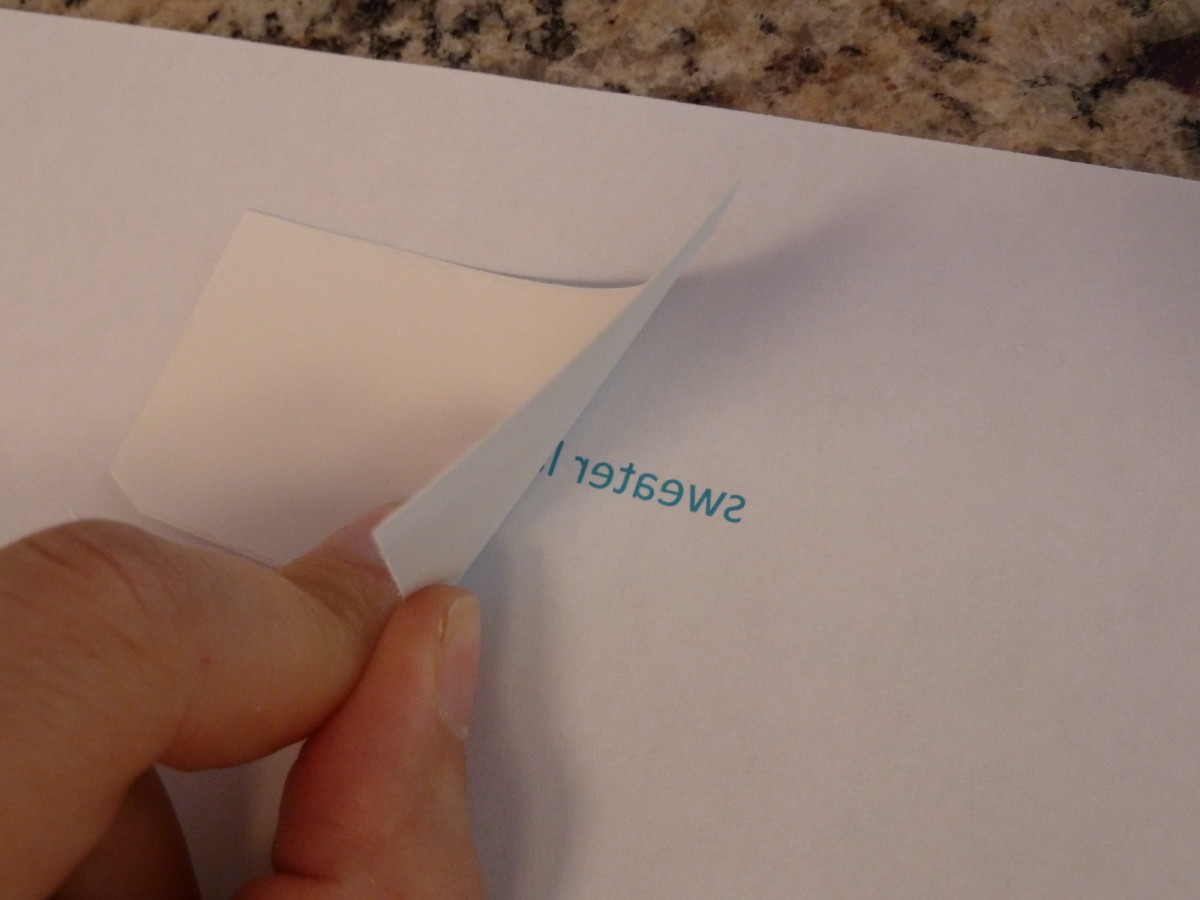
3. Do a practice print on regular paper, being sure to chose the "print mirror image" option. In Microsoft Word, click print: properties: layout and then check the box that reads "print mirror image".


4. Hold the twill tape up to the paper to verify that it will fit. Then cut a segment of transfer paper and tape it, adhesive side out, over top of the label information on the practice page. Be generous and cut it about an inch wider on all sides.


5. Reload into the printer and print (*remember to again select "print mirror image")


6. Trim transfer paper to size
7. Place adhesive side down on twill tape and iron, following transfer paper instructions.


8. Peel off backing paper and hand stitch to your sweater!


Just a note- I find that these transfers do not hold up well to vigorous, regular washing. The image will fade. I might not choose to use this for everyday clothes, but for a hand wash sweater of something washed only occasionally, they are perfect.
I have also used them on my bags and purses with great success. Hope you can find it useful!